How To Quickly Sort SVGS Out Of Bundles
Sites like Creative Fabrica, Design Bundles frequently offer fantastic free bundles of svgs. When you download them and unzip the folder, there may be 30 or more folders, one for each design. There's a quick way to sort out the svgs and move them, without opening each folder, in windows.
First, you will want a program such as winrar, winzip, or the FREE 7Zip. Although Windows has a built in "unzipper", it only works one folder at a time. Programs such as winrar and 7 Zip allow you to select a whole bunch of zip files all at once, right click, and "extract all".
Then, when once you have unzipped the bundle, it may look something like this:
Look at the top right - there's a search box there.
In this box, type svg (or if you are working with fonts, type otf, or ttf)
This will will give you a list of just the svgs from all of those folders. Select all, cut, and paste into a new folder.
Quick and easy!
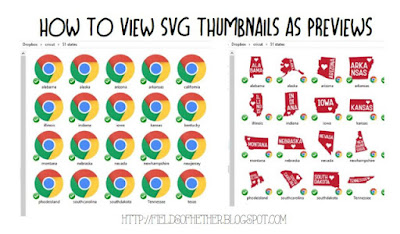
If you do not already have the extension, this is how to see the thumbnail view of svg files -