Bee & Flower Magnets


On my desk today - sunflower and bee magnets, using the 3d bee and flower svg set from Canada Crafts Studio.

Materials:

  • Pack of Magnets from the Dollar Tree
  • SVG NO LONGEE AVAILABLE (BUT there are free options below)
  • Hot Glue Gun

I downloaded the svg for this years ago, from CF. Canada Crafts Studio files are no longer on CF, and I can't find this bundle anywhere else anymore either. [They still have some files on Design Bundles] I'll include some free options below, in case you don't already own this, or it's not on sale right now.

Anyway - this is the file I started with:

As with most of the Canada Craft svgs I've used, I couldn't find any real instructions.  They aren't really necessary for this, but I can tell you that the center on that flower shown above is definitely more than one piece.  I duplicated it 3 times for the ones I made.


Sizing:
  • Flower center 3 wide by .327 high   [cut 3 per a flower]
  • Flower Petals, group of 4, 10.596 wide by 2.778 high
  • Bee - Grouped as Uploaded 3.503 wide by 2.357 tall. ACTUAL WIDTH, if the wings are centered on the bee, 2.608.
When unzipped, there are 3 svgs to upload.  The Bee, the flower petals, and the flower center.  The flower center I duplicated so that I had 3 of them, per a flower.  The bee uploaded with his wings slightly off to the side - that effected the sizing so I gave you the size for both options - one if you leave the group as is when uploaded, and one for the actual finished bee, in case you want to ungroup and line those wings up before making it.

Resizing and ungrouping is such a pain in DS right now.  Often items will go missing from the layers panel on the right as you work.  If you click select all, they should re-appear.  It's a glitch.  

This svg uploads in 4 colors.  I used color sync to match the yellows and change the flower center to black.  


That's it - these are super quick and simple to make, and cut really well at that small size.  (the design is meant to be much larger than I made it for these magnets)

Flowers are typical small flower construction - fold all the petals in half long ways, then place it in the palm of your hand and "scrunch" them so that the petals stand up a bit from the base.

===========
FREE SVG OPTIONS
=============
Daily Dose Of DIY has a layered bee that should work really well for this

There's  a FREE, similar svg from:

FREE TEMPLATE & SVG FILES:
Sunflower video tutorial:  https://bit.ly/3Kb8O1M
SVG File (Folder "SVG-Sunflower"): https://bit.ly/37sIg9C

Dozens of Free Small & Rolled Paper Flower SVGS,
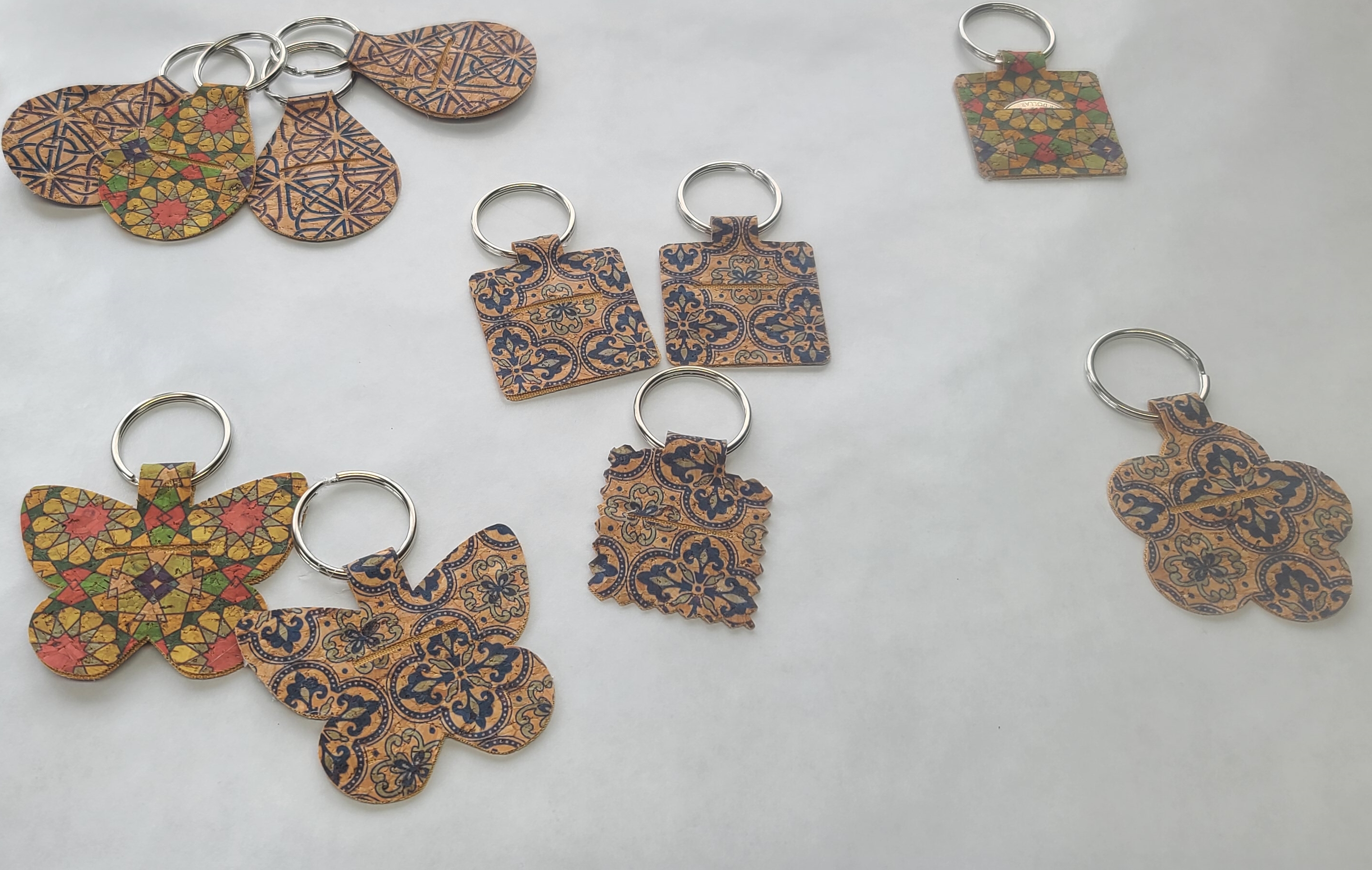


Quarter Keepers Cut From Cork Fabric With An Air2

 
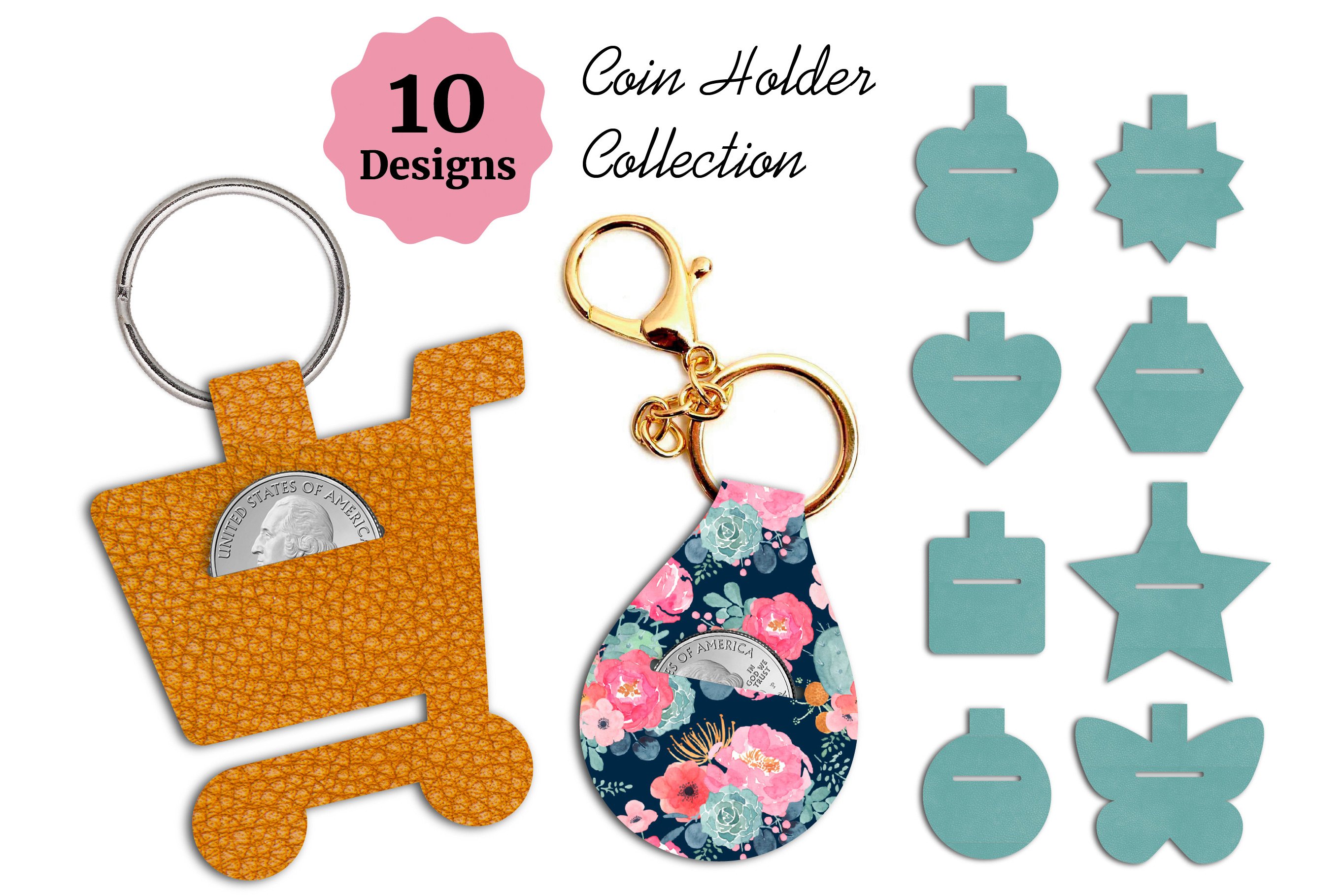
Quarter Keeper Keychains

Using the SVGs From:

If anyone knows where I can find that floral print faux leather, please let me know!

The above svgs  NOT free.  Later I found this set for FREE.  It doesn't have the shopping cart, but there are two nice basic shapes.


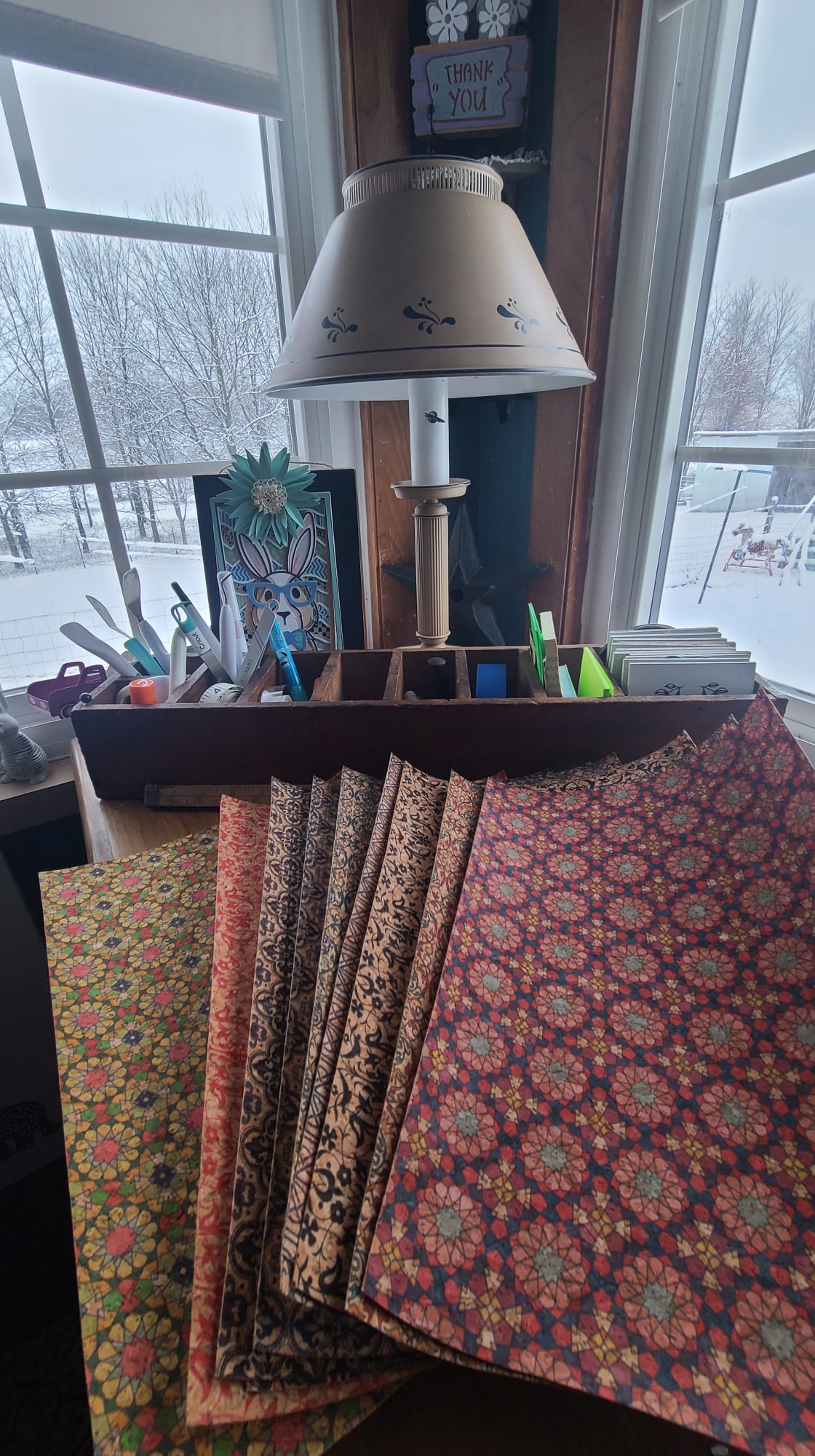
And this Cork Fabric from:

This cork is super thin and cuts beautifully!  I used my Air 2, a regular fine tip blade, and the paper thin faux leather setting.


The Gilmore Girls Graduation Basket


For our daughters college graduation, we replicated the basket Christopher sent Lorelai for her college graduation. 

The Contents:

$25 Savings Bond
A Youth Hostel Card
 The Portable Nietzsche [Check Thrift Books for a better price!]
Application To Join The Armed Forces
Necklace
(Although not a pearl, we purchased this one from Etsy)

See the a video clip of Lorelai opening the gift basket from Christopher here:

Basket opening begins about 1:30

Design on her cap


Remembrance Day Poppy Pins With Cricut

On my desk this morning - Poppy Pins for Memorial Day. I used the svg from Abbi Kirsten, with a few minor modifications. 1. After all the pieces are uploaded, select all, align center. Then resize to 6.5 wide. I may even go to 6 wide next time - but 6.5 worked, and the centers still cut well, I cut on cardstock plus for the centers - just to make sure they cut well. 2. I deleted 3 of the 3 petal pieces - making each flower just 3 layers. The 4th layer is nice for bouquets, but for the pins, I wanted a little less fluff.

I just used regular straight pins, stuck through the base layer and then we wear them like we would any corsage pin.
The svg from Abbi Kirsten (no longer free) https://www.creativefabrica.com/product/small-poppy-flower-templates/ref/89681/

For the history of wearing Poppies for Memorial Day - https://susquehannavalley.blogspot.com/2019/11/in-flanders-field-poppys-grow-wearing.html


On My Desk 3/27 - The Bright Easter Shadow Box

 
Making the Easter Bright Shadow Box Design by Filigrind

On my desk tonight...  an Easter Shadow Box. This one surprised me, because typically all downloads from Design Bundles are high quality files. This download was a little bit of a mess, but it all works and cuts great, you just have to use some of the png files. 

 Once you download and unzip, you upload part 3 (there is no part 1 or 2 for cutting) as a png, the svg will not work in design space, it errors out as too large of a file.  Then you can upload the svgs for 4-8, but there are no svgs for parts 9-11 in the download.  (I messaged the designer, but have not yet heard back)  For 9-10, again I uploaded the png files.  Because they are transparent pngs, and the nature of this design, there's no need to do anything other than upload and choose "cut" - there's nothing to clean up nor erase.  

11 is actually just a square, you wouldn't have to upload anything, you can just use the shape tool to create your own square.

All of the pieces upload in the color white.  Above is a screenshot of my design space screen, showing the colors I used for each layer, to get the finished design shown here.  In order, they are:
3,4,5
6,7,8
9,10,11

For the pieces you upload as pngs, you will want to resize - they upload at very large sizes.  This is set to be a 10x10 piece, but for shadow boxes, it's always best to resize to 9x9, or 8x8, especially if you want to make your own shadow boxes from 12x12 cardstock.

I forgot that, and cut it as 10x10.  I was able to make my own shadow box using my scoring board, cutting just the "window" for the top part with cricut.  It's not perfect, the frame is a little thinner than I typically like, but it was quick and easy to make.


Using two sheets of 12x12 cardstock, I cut a square out of the center of one, using my cricut.

Then I used my scoring board (I love this thing) to score just over half an inch around all 4 sides of both sheets of cardstock.  This paper cutter/scoring board cost me around $20 on amazon, and I use it to score most of my cards.  It's faster than using cricut, and makes a much nicer score line.  Find it here: https://amzn.to/3wHRw7C

After scoring, at each corner, make one cut, on the score line, as shown above.
Then fold on the score lines, folding over the cut ends and gluing to form a box shape.


It's very lightweight.  I normally keep a shadow box at this location above my desk - it covers a small hole from an old lighting fixture that was removed from this room many years ago.  Normally I use 3m velcro strips to hang them here, but I was out tonight, so until I get more, I hung this with painters tape.  It's light enough that that would likely hold it there just fine.

===========================
As an affiliate for a number of sites, I may earn a small commission if you make a purchase through the  links in this post.  It will in no way effect your cost.